
Monitors & Docks
Second screens and docks for reconciliation work.
Buying monitors & docks in India
Spreadsheets and returns reward screen space. Two 24-inch Full HD monitors, or one 27-inch QHD monitor, let you keep a source document beside the file you are working on. If you work from a laptop, a monitor with USB-C, or a dock, connects screens, power and network through one cable.
One screen or two
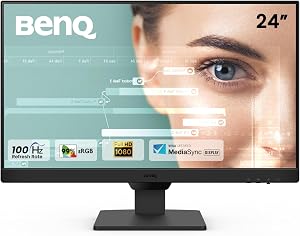
Two 24-inch monitors side by side give the most room for the money and let one screen show a PDF while the other shows the spreadsheet. A single 27-inch QHD monitor shows a similar amount without a bezel down the middle. A stand that rotates to portrait turns a monitor into a full-page document viewer.
Comfort over long days
Set the top of the screen at or just below eye level, about an arm’s length away, and keep two monitors at the same height. A matte IPS panel keeps text readable from an angle and cuts reflections from windows. A 100 or 120 Hz screen makes scrolling through long sheets look smoother.
Connecting a laptop
A monitor with a USB-C input can take video from a laptop and charge it at the same time, if the laptop’s port supports both. For two external screens, a dock with two video outputs is the simpler route on Windows; on many MacBooks, two screens need a DisplayLink dock. Check the ports on both the laptop and the monitor before buying cables.
For Indian buyers
Many budget monitors only tilt. If you want to raise the screen or turn it to portrait, check for a height-adjustable stand or VESA mounting holes for an arm.
Check before you buy
- Two 24-inch FHD or one 27-inch QHD for spreadsheet work
- A height-adjustable stand, or VESA mounting for an arm
- Pivot to portrait if you read full pages
- USB-C with power delivery, or a dock, for a laptop
- Matte IPS panel for text


STRIFF
STRIFF 8-in-1 USB‑C Docking Station
Connect laptop to multiple peripherals with 4K video and wired internet.
Check price on Amazon

Honeywell
Honeywell 7-in-1 Type‑C Docking Station
Add 4K video, fast charging and multiple ports to any USB‑C laptop.
Check price on Amazon

Acer
Acer EK240Y 23.8" IPS Full HD Gaming Monitor
144 Hz refresh and 1 ms VRB response for fluid action
Check price on Amazon

Portronics
Portronics MPort 8-in-1 USB‑C Docking Station
Connect laptop to HDMI, Ethernet, USB and card readers with a single cable.
Check price on Amazon

Samsung
Samsung 24‑Inch Flat IPS FHD Monitor
Super‑slim design with 100 Hz panel fits tight desk spaces
Check price on Amazon

Dell
Dell S2425HSM 24‑Inch Ash‑White FHD Monitor
144 Hz refresh and 1 ms response keep multitasking fluid
Check price on Amazon


Keep browsing
Prefer to hire someone?
All services →Freelance help on Fiverr. We earn a commission if you hire; your price is unchanged.